In the settings for your browser, you can probably set it to ONLY go to sites with https/ . Browsers often have a little sign beside the site name too, which looks like a shield shape, or a closed padlock, if the site is a secure one. This is true of Firefox, and I believe of others.
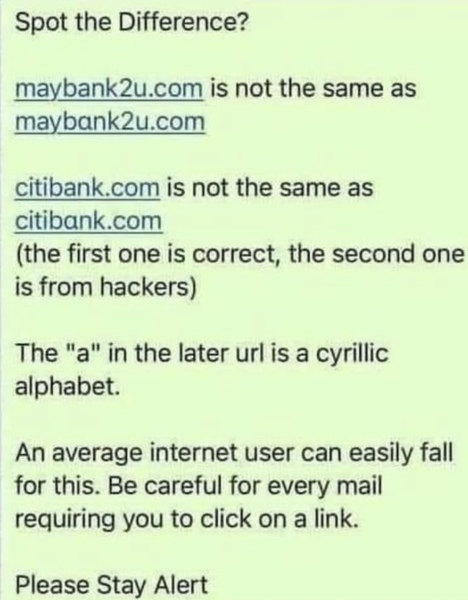
The warning in the photo is about clicking on links in emails. The only safe rule is never click on a link in an email. Type the address into your browser.
Apple computers allow you to look at links without opening them. There is a little ˘ sign to the right of addresses which you can 'hold' on to see what the address is.
I will ask MrB about the use of the Cyrillic alphabet.

