Gransnet forums

Site stuff

Problem with posting in an existing thread

(38 Posts)
Marydoll Sat 05-Sept-20 21:12:18

?

Callistemon Sat 05-Sept-20 21:05:21

By golly, that was clever, Marydoll!

It’s all a bit primitive as we are regarded as old and a bit Gaga. Also we are not to be trusted with even basic ?? If ?? buttons either.

? because we're grey haired old grannies ?

They forget our generation invented computers and that Sir Tim Berners Lee is 65 ?

BlueBelle Sat 05-Sept-20 20:17:32

You can only do it the one way you have had explained to you and the way you have managed you can’t answer individuals
Yes furret is right they don’t think Grans can manage Techno but some grand are more techno that the ones gransnet use ?

Furret Sat 05-Sept-20 20:16:02

PS best stick to face book where you can’t unfriend people who get on your wick!

Marydoll Sat 05-Sept-20 20:15:37

You can only respond in the text box after the last comment, so it's best to address the poster by name.
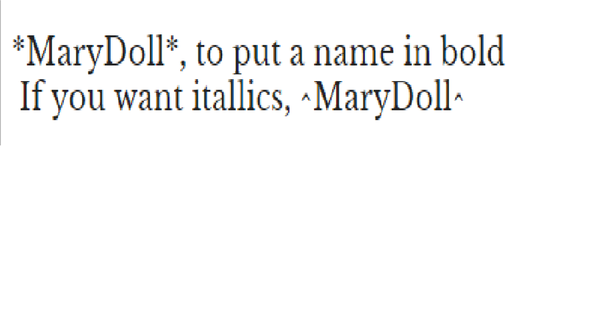
The best way is by using * at either end of their name, with no spaces.

GrannyLaine Sat 05-Sept-20 20:14:38

Welcome ChrissyR, unfortunately your post will always appear in chronological order on the thread, rather than directly below a comment you wish to reply to. Makes conversation difficult sometimes!

Furret Sat 05-Sept-20 20:12:44

You can’t do that Chrissy on this site. You can on FB but not here. You comment just has to join the queue at the bottom of the page!

A recent innovation is using the quote function. You can grab the remark you’d like to reply to and then add your comment underneath. Feel free to try it on my post if you wish.

It’s all a bit primitive as we are regarded as old and a bit Gaga. Also we are not to be trusted with even basic ?? If ?? buttons either.

ChrissyR Sat 05-Sept-20 19:44:17

Thank you for the replies (hopefully this will end up in the right place). What about if I want to reply in a conversation where a member has answered posts by several different members ? Sorry I can’t think how to explain it properly.

lucyanne Sat 05-Sept-20 19:23:04

At the bottom of each thread the last page there is a white box with your user name. Add your message in the box. Below is a purple box 'post a message' click on that and your message will be added to the thread. Hope this makes sense.

Marydoll Sat 05-Sept-20 19:17:34

Crossed posts Bluebelle ?

Marydoll Sat 05-Sept-20 19:16:27

Chrissy, welcome!

Underneath the last post, will be a text box. Add your comment in it and then click on preview to check you are happy with your post.
Then click Post. Good luck! ?

BlueBelle Sat 05-Sept-20 19:16:18

Welcome Chrissy if you want to add a comment go to the bottom of the thread and you ll see a box saying ‘add your comment here’ write in that box then go a little lower and press ‘post message’
Give it a go and it should work fine

ChrissyR Sat 05-Sept-20 19:12:26

Hi, I only joined yesterday and I’m not sure what I’m doing wrong but I don’t seem to be able to add my post to an existing thread. I read the instructions and it says to click on ‘add comment’ which I’m doing but my post is just coming up separately and not where I wanted it to go. Hope someone can help. ChrissyR